Home / Programs

Every week, every class, every assignment

Four tracks, each running Beginner then Advanced. Pick a subject, choose a level, and open any week to see exactly what's taught, practiced and assigned.

Graphic Design & Social Media Content — Beginner

From color theory and typography to branding, campaigns, and print — using GIMP, Inkscape and Canva. Beginners build a local-business design package; advanced students walk away with a full brand identity and a portfolio website.
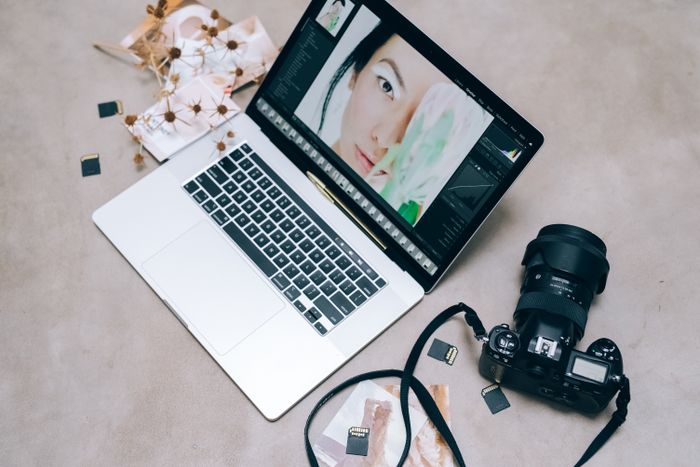
Flat lay of a laptop with photo-editing software, camera and design tools on a desk
Duration8 weeks
Total hours48 hours
ToolsGIMP, Inkscape, Canva, Google Fonts
Week 1 — Design FundamentalsFoundations+

Class 1 — What is graphic design?

  • Design vs decoration
  • Understanding visual communication
  • Examples of good and bad design

Class 2 — Color theory

  • Primary/secondary colors
  • Warm/cool colors
  • Color combinations
  • Contrast

Class 3 — Typography fundamentals

  • Font categories
  • Font pairing
  • Hierarchy
  • Readability
Create three simple poster layouts using different typography and color combinations.
Week 2 — Layout, Composition & Visual HierarchyFoundations+

Class 4 — Alignment & balance

  • Alignment
  • Balance
  • Proximity
  • Repetition
  • White space

Class 5 — Composition

  • Composition
  • Visual hierarchy
  • Focal point
  • Grid thinking

Class 6 — Applied critique

  • Recreate an existing professional poster
  • Instructor critique
Recreate one reference poster and create one original poster.
Week 3 — Raster Graphics & GIMPSoftware+

Class 7 — Raster vs vector

  • Raster vs vector
  • Pixels and resolution
  • Image formats

Class 8 — GIMP interface

  • GIMP interface
  • Layers
  • Selection
  • Crop
  • Resize

Class 9 — Retouching

  • Retouching
  • Basic photo correction
  • Background cleanup
  • Export formats
Before/after photo-editing project.
Week 4 — Vector Graphics & InkscapeSoftware+

Class 10 — Vector concepts

  • Vector concepts
  • Paths and shapes
  • Pen/Bezier tools

Class 11 — Icons & illustration

  • Icons
  • Simple illustrations
  • Shape combinations

Class 12 — Logo construction

  • Logo construction
  • Logo variations
  • Exporting SVG/PNG
Create a simple logo and icon set.
Week 5 — Canva & Social Media DesignApplied+

Class 13 — Canva workflow

  • Canva workflow
  • Templates
  • Layout adaptation

Class 14 — Social formats

  • Instagram/Facebook/YouTube formats
  • Resizing
  • Safe areas
  • Text readability

Class 15 — Campaign design

  • Social-media campaign design
  • Consistency across multiple posts
5-post social-media campaign.
Week 6 — BrandingApplied+

Class 16 — What is branding?

  • What is branding?
  • Mood boards
  • Visual direction

Class 17 — Brand systems

  • Color palette
  • Typography system
  • Brand consistency

Class 18 — Mini brand kit

  • Creating a mini brand kit
Personal/local-business brand kit.
Week 7 — Real-World Design ProjectsProject+

Class 19 — Festival/sale poster

  • Festival/sale poster

Class 20 — Promotional post

  • Promotional social post

Class 21 — Business communication design

  • Business communication design
  • Instructor review
Project: design package for a fictional local business.
Week 8 — Portfolio & Final ProjectPortfolio+

Class 22 — Portfolio selection

  • Portfolio selection
  • File organization
  • Presentation

Class 23 — Portfolio polishing

  • Portfolio polishing
  • Design corrections

Class 24 — Final presentation

  • Final presentation
  • Viva
  • Feedback

Beginner portfolio requirements

Personal brand kit

10 social-media designs

1 logo

1 festival/sale poster

Photo-editing project

Vector/icon project

Outcome: able to create social content for local businesses or begin entry-level freelance work.

Graphic Design & Social Media Content — Advanced

From color theory and typography to branding, campaigns, and print — using GIMP, Inkscape and Canva. Beginners build a local-business design package; advanced students walk away with a full brand identity and a portfolio website.
Creative flat lay of a laptop, camera and memory cards for design and photo editing
Duration10 weeks
Total hours60 hours
ToolsGIMP, Inkscape, Canva, Blender basics
Week 1 — Advanced Typography & GridsFoundations+

Advanced typography

  • Advanced typography
  • Grid systems
  • Editorial layouts
  • Hierarchy
Week 2 — Brand IdentityBranding+

Logo systems

  • Logo systems
  • Logo variations
  • Brand colors
  • Typography systems
  • Brand guidelines
Week 3 — Brand GuidelinesBranding+

Documentation

  • Brand documentation
  • Do/don't usage
  • Logo spacing
  • Color specifications
  • Presentation
Week 4 — Packaging & PrintPrint+

Print collateral

  • Business cards
  • Brochures
  • Standees
  • Print preparation
  • Bleed/crop concepts
Week 5 — Advanced Photo ManipulationSoftware+

Compositing

  • Advanced selections
  • Compositing
  • Lighting consistency
  • Shadows
  • Image integration
Week 6 — Motion Graphics IntroductionMotion+

Intro to motion

  • Animated text
  • Animated logos
  • Canva animation
  • Blender basics
Week 7 — Client WorkflowCareer+

Working with clients

  • Reading briefs
  • Asking the right questions
  • Presenting concepts
  • Feedback
  • Revisions
Week 8 — Portfolio WebsitePortfolio+

Online presentation

  • Portfolio structure
  • Project presentation
  • Case-study thinking
  • Online presentation
Week 9 — FreelancingCareer+

Going freelance

  • Pricing
  • Proposal basics
  • Fiverr
  • Upwork
  • Local clients
Week 10 — Final Portfolio ProjectProject+

Final project — complete identity for a real/mock business

  • Logo system
  • Color palette
  • Typography
  • Brand guideline
  • Business card
  • Social campaign
  • Promotional poster
  • Portfolio presentation

Advanced portfolio requirements

Full brand identity

20+ asset campaign

Portfolio website

Minimum 15 strong pieces

Video Editing & Motion Graphics — Beginner

From first cuts and storytelling to color grading, motion graphics and sound design — using DaVinci Resolve, CapCut, Fusion, Blender and Audacity. Ends with a personal showreel.
Creative workspace with a laptop and DSLR camera for video editing
Duration8 weeks
Total hours48 hours
ToolsDaVinci Resolve, CapCut
Week 1 — Editing FundamentalsFoundations+

Core editing

  • Video editing principles
  • Timeline
  • Media management
  • Cuts
  • Transitions
Week 2 — StorytellingStory+

Story structure

  • Story structure
  • Shot selection
  • Pacing
  • Basic storyboard
  • Creating a sequence
Week 3 — AudioSound+

Working with audio

  • Audio/video synchronization
  • Voice
  • Music
  • Basic mixing
  • Audio levels
Week 4 — Text & TitlesSoftware+

Titles and captions

  • Captions
  • Titles
  • Basic motion
  • Text hierarchy
Week 5 — ColorColor+

Color correction

  • Basic color correction
  • Exposure
  • White balance
  • Contrast
  • Matching shots
Week 6 — Mobile ContentDelivery+

Reels, Shorts & YouTube

  • Reels
  • Shorts
  • YouTube
  • Vertical vs horizontal
  • Export settings
Week 7 — ShootingProduction+

Camera fundamentals

  • Phone camera
  • Framing
  • Lighting
  • Stable shots
  • Basic coverage
Week 8 — Final ProjectPortfolio+

Final submission

  • Reel/Short
  • Vlog-style video
  • Before/after advertisement
Final submission: one polished 60–90 second video.

Video Editing & Motion Graphics — Advanced

From first cuts and storytelling to color grading, motion graphics and sound design — using DaVinci Resolve, CapCut, Fusion, Blender and Audacity. Ends with a personal showreel.
DSLR camera and laptop set up for advanced video editing and color grading
Duration10 weeks
Total hours60 hours
ToolsDaVinci Resolve Fusion + Color, Blender, Audacity
Week 1 — Advanced EditingFoundations+

Professional editing

  • Professional timeline organization
  • Advanced cuts
  • Pacing
  • Multi-layer editing
Week 2 — Multi-Camera EditingWorkflow+

Multi-cam

  • Syncing cameras
  • Camera selection
  • Multi-camera workflow
Week 3 — Advanced ColorColor+

Grading

  • Color grading
  • LUTs
  • Scopes
  • Look development
Week 4 — Fusion FundamentalsSoftware+

Compositing in Fusion

  • Nodes
  • Basic compositing
  • Text animation
Week 5 — Motion GraphicsMotion+

Kinetic type

  • Kinetic typography
  • Animated graphics
  • Motion principles
Week 6 — Green ScreenSoftware+

Chroma key

  • Chroma key
  • Edge cleanup
  • Background replacement
Week 7 — Sound DesignSound+

Designing sound

  • Sound effects
  • Audio cleanup
  • Mixing
  • Atmosphere
Week 8 — Branded MotionBranding+

Reusable branded motion

  • Intro
  • Outro
  • Logo animation
  • Reusable templates
Week 9 — Client Workflow & ShowreelCareer+

Client work

  • Brief
  • Feedback
  • Revisions
  • Deliverables
  • Showreel structure
Week 10 — Final ProjectProject+

Choose one final format

  • Short film
  • Mini-documentary
  • Explainer video

Additional deliverables

  • Branded intro/outro
  • Personal showreel

Web Design — Beginner

HTML, CSS and JavaScript fundamentals through to CSS Grid, React, WordPress, SEO and freelancing — using VS Code and Chrome DevTools. Advanced students ship three separate final projects.

Person coding HTML and CSS on a laptop screen
Duration8 weeks
Total hours48 hours
ToolsVS Code, Chrome DevTools, HTML5, CSS3
Week 1 — Web FundamentalsFoundations+

How the web works

  • How websites work
  • Browser/server concept
  • HTML document structure
  • Semantic tags
Week 2 — HTMLSoftware+

Core HTML

  • Headings
  • Paragraphs
  • Images
  • Links
  • Lists
  • Tables
Week 3 — CSSSoftware+

Styling with CSS

  • Selectors
  • Properties
  • Box model
  • Typography
  • Spacing
Week 4 — LayoutLayout+

Building layouts

  • Flexbox
  • Positioning
  • Responsive principles
Week 5 — Responsive DesignLayout+

Mobile-first

  • Mobile-first thinking
  • Breakpoints
  • Responsive layouts
Week 6 — Forms & JavaScriptInteractivity+

Basic interactivity

  • Forms
  • Buttons
  • Basic JavaScript
  • Basic interactivity
Week 7 — Git/GitHubWorkflow+

Version control

  • Version control
  • Repository
  • Commits
  • Publishing
Week 8 — Final ProjectsPortfolio+

Students create:

  • Personal portfolio
  • Business landing page
  • Resume website

Web Design — Advanced

HTML, CSS and JavaScript fundamentals through to CSS Grid, React, WordPress, SEO and freelancing — using VS Code and Chrome DevTools. Advanced students ship three separate final projects.
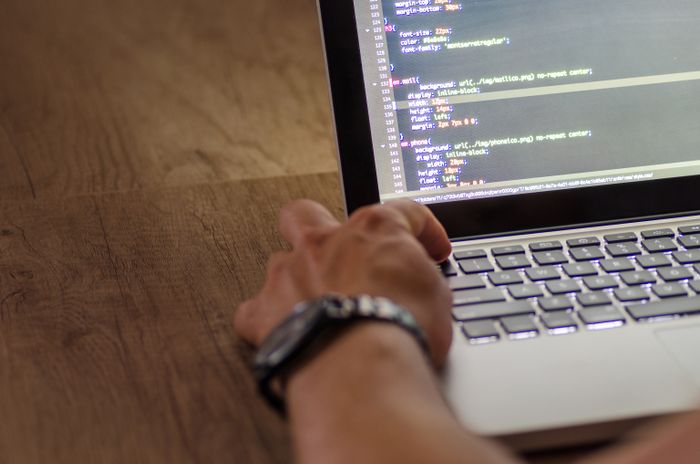
A developer's hand interacting with code on a laptop screen
Duration12 weeks
Total hours72 hours
ToolsCSS Grid, JavaScript ES6+, React, WordPress
Week 1–2 — Advanced CSSSoftware+

Advanced layout & motion

  • CSS Grid
  • Advanced layouts
  • Animations
Week 3–4 — JavaScriptSoftware+

Modern JavaScript

  • ES6+
  • DOM
  • Events
  • Dynamic interfaces
Week 5 — APIsSoftware+

Working with data

  • API concepts
  • fetch
  • JSON
  • Displaying external data
Week 6–7 — React IntroductionSoftware+

Building with React

  • Components
  • Props
  • State concepts
  • Basic React project
Week 8 — WordPressSoftware+

Client sites in WordPress

  • Installation
  • Themes
  • Pages
  • Plugins
  • Customization
Week 9 — SEOMarketing+

Search fundamentals

  • Search fundamentals
  • Page structure
  • Metadata
  • Basic SEO
Week 10 — Performance & AccessibilityQuality+

Fast, usable sites

  • Performance fundamentals
  • Accessibility basics
  • Usability
Week 11 — FreelancingCareer+

Client delivery

  • Client requirements
  • Estimation
  • Website delivery
  • Fiverr/Upwork workflow
Week 12 — Final ProjectPortfolio+

Three final projects

  • Multi-page responsive business website
  • WordPress client website
  • Small React application

UI/UX Design — Beginner

From user research and wireframes to design systems, accessibility and developer handoff — using Figma's free tier and free usability-testing tools. Ends with a documented case study.

Close-up of a laptop screen showing layout and interface work
Duration8 weeks
Total hours48 hours
ToolsFigma (free tier), Google Forms
Week 1 — UX FundamentalsFoundations+

What is UX?

  • What is UX?
  • User-centered design
  • User research basics
  • Identifying user problems
Week 2 — Personas & User FlowsResearch+

Understanding users

  • Personas
  • User goals
  • User journeys
  • User flows
Week 3 — WireframingDesign+

Low-fidelity design

  • Low-fidelity wireframes
  • Layout structure
  • Navigation
  • Information hierarchy
Week 4 — UI FundamentalsDesign+

Visual UI basics

  • Color
  • Typography
  • Spacing
  • Visual hierarchy
Week 5 — Figma FundamentalsSoftware+

Working in Figma

  • Frames
  • Layers
  • Components
  • Basic Auto Layout
Week 6 — Mobile UIDesign+

Designing for mobile

  • Mobile screen structure
  • Navigation
  • Buttons
  • Forms
  • Cards
Week 7 — UsabilityResearch+

Testing with users

  • Usability principles
  • Identifying usability problems
  • Simple testing
  • Google Forms feedback
Week 8 — Final ProjectPortfolio+

Students create:

  • Mobile-app wireframe
  • App UI mockup
  • Small usability-test exercise

UI/UX Design — Advanced

From user research and wireframes to design systems, accessibility and developer handoff — using Figma's free tier and free usability-testing tools. Ends with a documented case study.

Close-up of a person working on interface code and layout on a laptop
Duration10 weeks
Total hours60 hours
ToolsAdvanced Figma, FigJam, free usability tools
Week 1 — Advanced PrototypingDesign+

Interactive prototypes

  • Interactive prototypes
  • Prototype flows
  • Advanced interactions
Week 2 — Micro-interactionsDesign+

Motion in UI

  • Interaction states
  • Feedback
  • Transitions
  • Motion principles
Week 3 — Design SystemsSystems+

Reusable components

  • Components
  • Variants
  • Reusable patterns
Week 4 — Design TokensSystems+

Consistency at scale

  • Color tokens
  • Typography tokens
  • Spacing
  • Component consistency
Week 5 — User ResearchResearch+

Talking to users

  • Interviews
  • Surveys
  • Research planning
Week 6 — Testing & A/B Testing BasicsResearch+

Validating decisions

  • Usability testing
  • Test objectives
  • Basic A/B testing concepts
  • Interpreting feedback
Week 7 — Information ArchitectureSystems+

Structuring content

  • Content organization
  • Navigation
  • User journeys
  • Site/app structure
Week 8 — AccessibilityQuality+

Designing for everyone

  • Accessibility principles
  • WCAG fundamentals
  • Accessible color/typography
  • Interface considerations
Week 9 — Case Studies & Developer HandoffCareer+

Communicating decisions

  • UX case studies
  • Design decisions
  • Specifications
  • Redlines
  • Developer communication
Week 10 — Final PortfolioPortfolio+

Final deliverables

  • Full app/website redesign
  • Complete design system
  • Documented UX case study
  • Portfolio
  • Behance/Dribbble presentation

Also covered

  • Job preparation
  • Freelance preparation

Not sure which track fits?

Book a free Week 0 orientation session — we'll help you choose Beginner or Advanced, and the right subject.
